How to track AI Overview citations for clients
To track AI Overview citations for clients, set up one project per client with their brand names and website, the questions their customers ask, and the client’s market location, then run the same checks on a schedule and keep dated proof of each result. Report changes, not snapshots: which questions the client appeared for, which pages were cited, and which competitors took the spot.
Set up each client once
- One project per client. Name it after the client.
- Who should appear. Every way the client’s name is written, plus their domain(s). A match on either counts as found.
- Competitors. Add the 3 to 5 businesses the client actually loses work to, so you can show share of voice.
- Location. The client’s market, not yours. A Denver law firm needs Denver results, even if your agency is in London.
- Questions. Start with 10 to 20 real customer questions. Use the Questions tab to find the follow-ups.
Track more than AI Overviews
Clients ask “are we in ChatGPT?” as often as “are we in Google?”. Tracking Google AI Overviews, Google AI Mode, ChatGPT, Gemini and Perplexity together costs little more and answers both.
Schedule it and let the alerts come to you
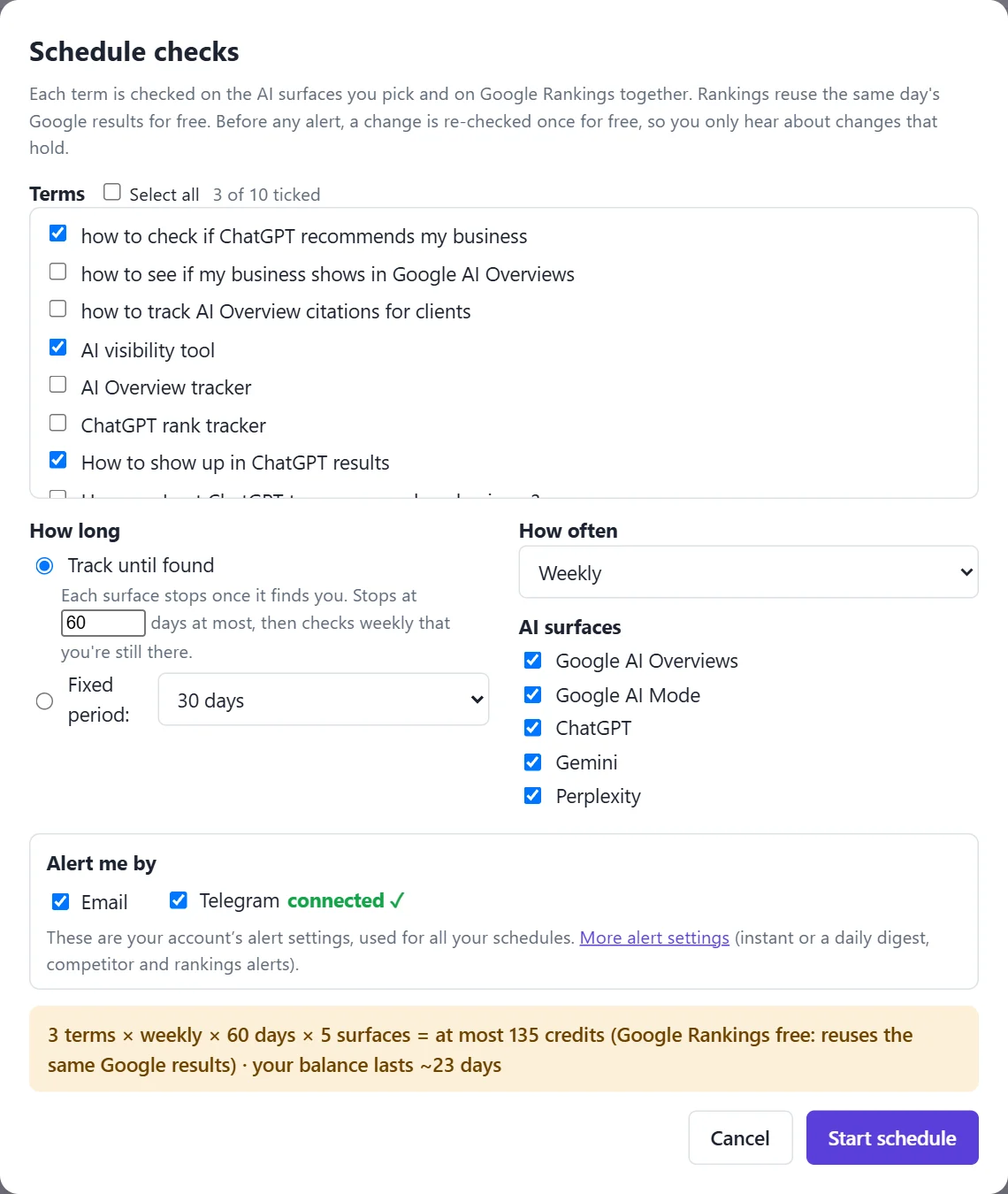
Pick daily for launches, weekly for steady tracking. “Track until found” stops each surface once the client appears, then checks weekly that they’re still there. Before any alert, a change is re-checked once for free, so you’re not emailing a client about a one-off blip.
Report in a way clients understand
- Share links that open without logging in, for a single result.
- PDF reports by email, weekly or monthly, to you and to the client, with a citation timeline showing the day each surface first found them.
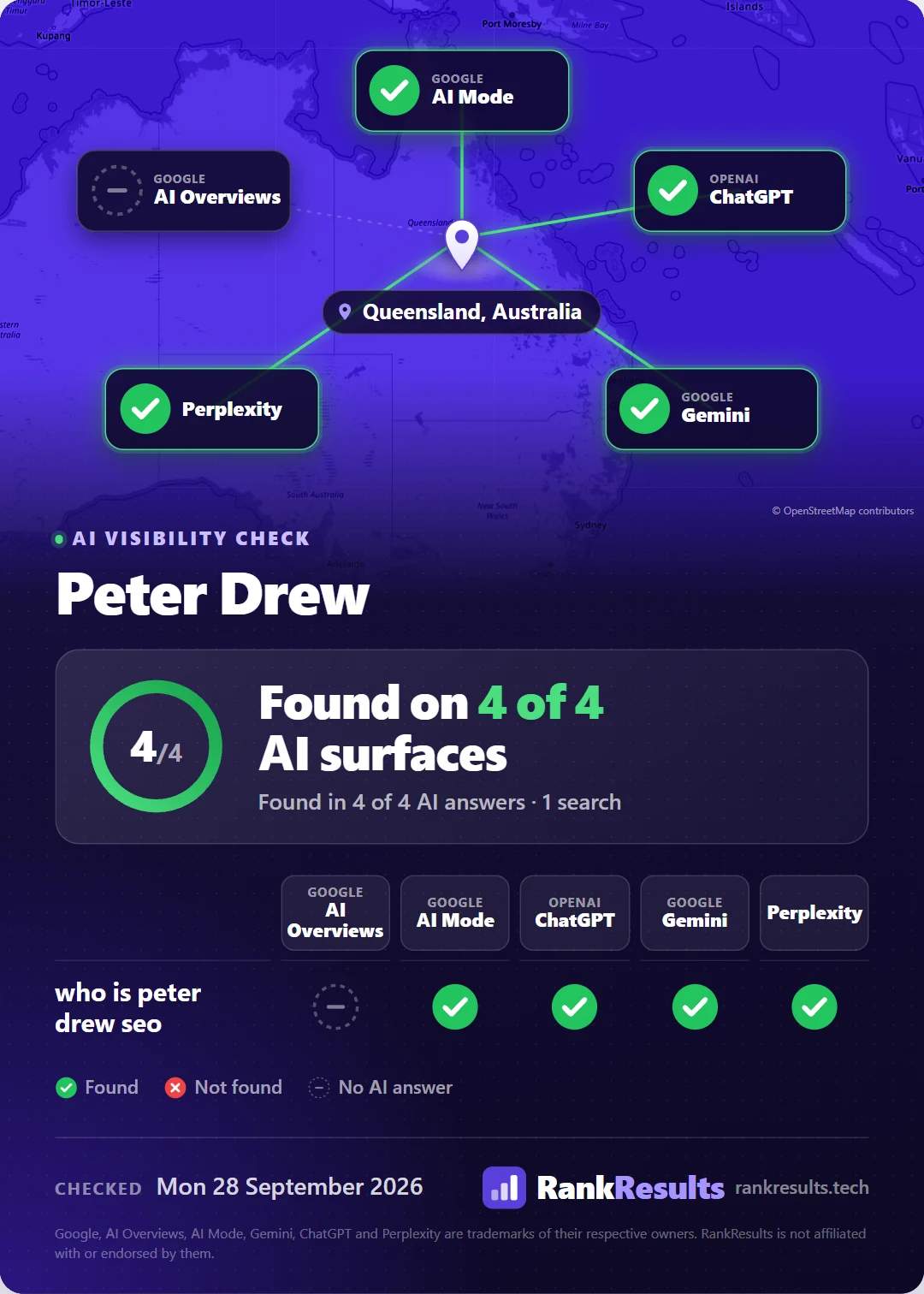
- A share card for the wins, ready for LinkedIn.
Keep costs predictable
Each question costs 1 credit per AI surface per check. The schedule panel shows the credit forecast before you start, and schedules pause (not fail) if credits run out.
Questions people ask
How do I track AI Overview citations for clients?
Set up one project per client with their brand names, website, customers’ questions and market location, then check on a schedule and keep dated proof of each result. Report the changes: where they appeared, which pages were cited and which competitors took the spot.
How often should I check clients’ citations?
Weekly suits most clients. Use daily while you’re actively working on a page or launching something, then drop back to weekly once they appear.
Can clients see results without an account?
Yes. Share links and report emails open without signing in. Share links use long, unguessable addresses and can be turned off at any time.
Why re-check a change before alerting?
AI answers vary from run to run. Re-checking once confirms the change held, so alerts reflect real movement. The confirmation check is free.
Are the reports white-label?
Not at the moment: reports and share pages carry RankResults branding.
Related guides
