How to see if your business shows in Google AI Overviews
To see if your business shows in Google AI Overviews, search the questions your customers ask from their location and check whether the AI Overview at the top names you or lists your pages among its sources. Search Console counts AI Overview clicks and impressions inside your normal web totals rather than reporting them separately, so you have to look at the results page itself, repeatedly.
Why it’s harder than it sounds
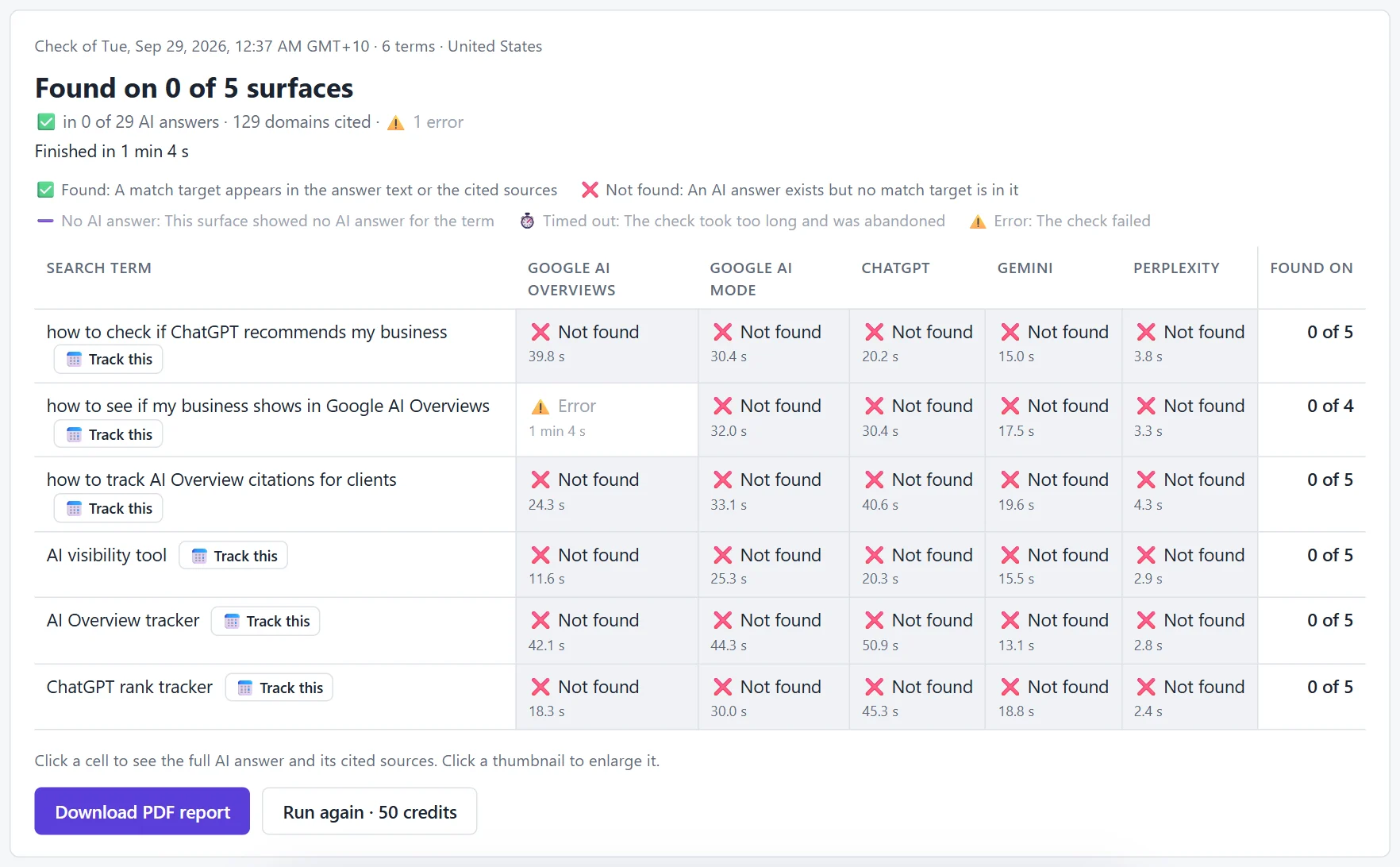
- Not every search gets an AI Overview. Google decides per search. In our own check on Tue 29 September 2026 (United States), “Best ai visibility tool” showed no AI Overview at all, while the other questions did.
- Location changes the answer. Google uses the searcher’s location, and it’s hard to see results from another city or country from your desk.
- It changes. The sources in an AI Overview can differ from day to day.
How to check by hand
- Open a private window so your history doesn’t affect results.
- Search one customer question at a time, exactly as they’d type it.
- If an AI Overview appears, expand it (“Show more”) and open its sources, the link cards beside or under the text.
- Look for your business name in the text and your website in the sources. Screenshot it and note the date.
- Try Google’s AI Mode too; it’s a separate, conversational answer and can cite different pages.
How to check many questions at once, from anywhere
RankResults runs each question on Google AI Overviews and AI Mode (and ChatGPT, Gemini and Perplexity) from the country or city you choose, and records Found, Not found or No AI answer for each one.
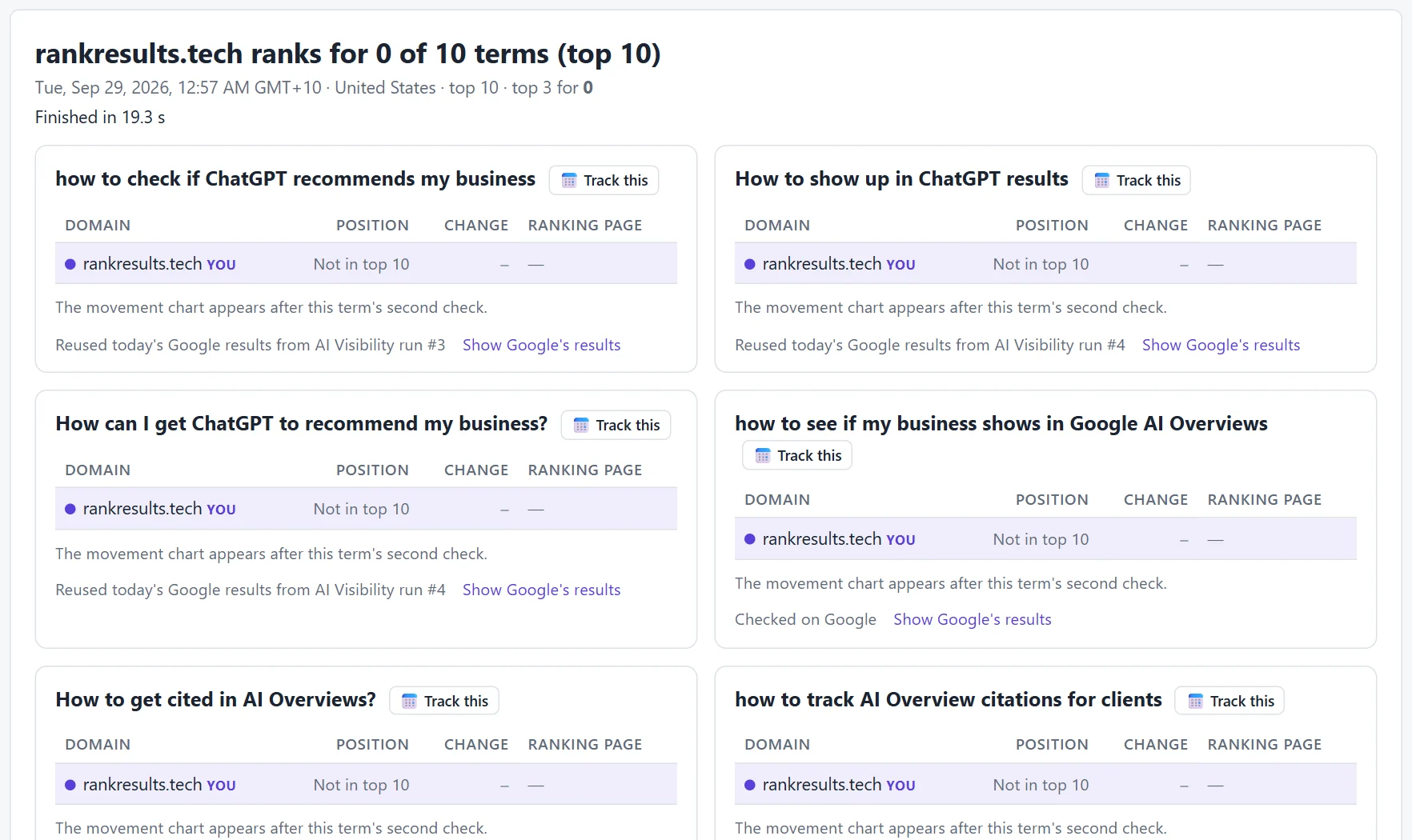
The same check also records where you rank in Google’s regular results, for free, because it reuses the same Google results page:
If you’re not in it
Google says there’s nothing special to add for AI Overviews: your page has to be indexed and eligible to show a snippet in normal search. From there, see how to get cited in AI Overviews.
Questions people ask
How do I see if my business shows in Google AI Overviews?
Search the questions your customers ask from their location and check whether the AI Overview names you or lists your pages among its sources. Search Console doesn’t report AI Overview appearances separately, so you have to check the results page itself, repeatedly.
Does Search Console show AI Overview traffic?
Google includes AI Overview and AI Mode clicks and impressions in the normal Performance report totals for web search, but doesn’t report them separately. To know whether you were in the AI Overview for a specific question, you need to check the results page.
Why doesn’t my search show an AI Overview?
Google only shows AI Overviews for some searches, and it varies by country and over time. Short, commercial searches are sometimes shown without one, as we saw for “Best ai visibility tool”.
Is AI Mode the same as AI Overviews?
No. AI Overviews appear at the top of normal Google results. AI Mode is a separate, chat-style Google search tab that can run more searches behind the scenes and cite different pages. Check both.
Related guides
