How to check if ChatGPT recommends your business
To check if ChatGPT recommends your business, ask it the exact questions your customers ask, with search switched on and from the location your customers are in, then look for your business name in the answer and your website in its cited sources. Answers change from one run, place and person to the next, so repeat the check and keep a dated screenshot of each answer as your record.
Why one quick look isn’t enough
ChatGPT writes a fresh answer every time. Ask the same question twice and you can get a different list of businesses. Your own chats also carry your history and memory, so what you see while signed in isn’t necessarily what a new customer sees. Location matters too: “best accountant near me” means something different in Denver than in Manchester.
So a real check has three parts: the right questions, asked from the right place, more than once, with a record you can compare later.
How to check by hand
- List 5 to 10 real customer questions. Use the words customers use on calls and in emails, not your internal product names. “Who’s the best emergency plumber in Austin” beats “plumbing services”.
- Use a clean session. A private window, signed out, so your own history doesn’t colour the answer.
- Make sure it searches the web. Answers from search come with cited sources, which is what you want to see.
- Ask each question exactly as written. Include the city if your business is local.
- Record three things: are you named in the text, is your website among the cited sources, and which competitors are named instead. Take a screenshot and note the date.
- Repeat weekly, and do the same on Google AI Overviews, AI Mode, Gemini and Perplexity, because your customers use all of them.
That works for a handful of questions. It gets slow fast, and it’s hard to ask “from Denver” when you’re sitting in Sydney.
How to check automatically, with proof
This is the job RankResults does. You enter your questions, who should appear (your business name and your website) and where your customers are. It asks Google AI Overviews, Google AI Mode, ChatGPT, Gemini and Perplexity, then shows a simple grid: Found, Not found, or No AI answer, for every question on every surface.
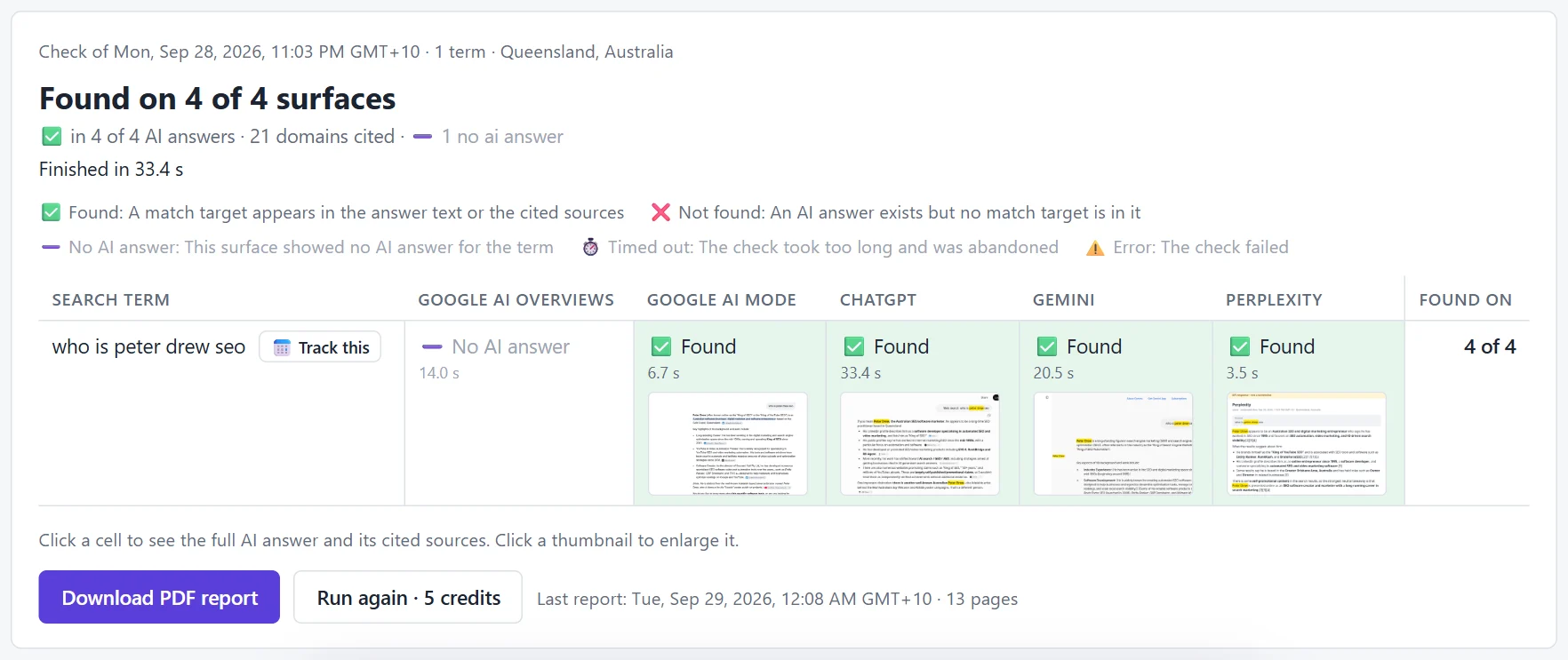
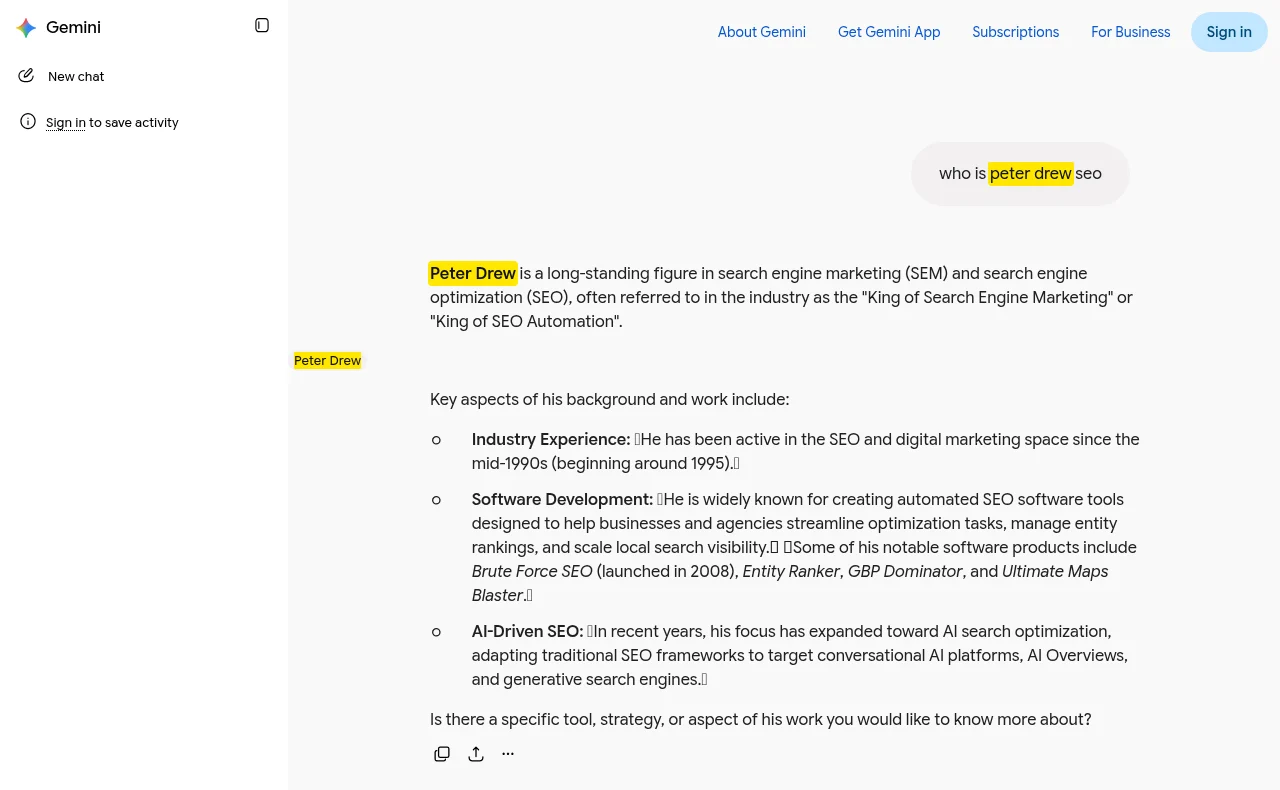
Every Found comes with proof: the answer text and a screenshot with your name highlighted, so you can show a client or your boss exactly what the AI said, and when.
What counts as “recommended”?
We count you as found when your name appears in the answer text or your website is one of the pages the answer cites. Both matter: being named is what the reader sees; being cited is often how you get named next time. If you’re cited but not named, you’re close.
Not there yet?
Most businesses aren’t, at first. RankResults wasn’t either: our own starting point is on the guides hub. The next steps are in how to show up in ChatGPT results and how to get ChatGPT to recommend your business.
Questions people ask
How do I check if ChatGPT recommends my business?
Ask ChatGPT the exact questions your customers ask, with web search on and from their location, and look for your business name in the answer and your website in its cited sources. Repeat the check over time and keep dated screenshots, because the answer changes between runs.
Does ChatGPT give everyone the same answer?
No. ChatGPT writes a new answer each time, and it can differ by time, location and the person asking (signed-in chats carry history and memory). That’s why a single check isn’t reliable; repeat it and compare dated results.
Can I check what ChatGPT says to customers in a specific city?
Yes. Put the city in the question if customers would, and check from that location. RankResults lets you pick the country or city for every check, so you see what people there see.
What if ChatGPT cites my website but doesn’t name my business?
That still counts as found in RankResults, and it’s a good sign: the AI trusts your page as a source. Make your business name clear on that page so it’s easier for the answer to name you.
How much does checking cost?
Checking by hand is free but slow. In RankResults each question costs 1 credit per AI surface (5 credits for all five), and new accounts get 100 free credits, about 20 questions on all five surfaces.
Related guides
